Colt help
You can track the status of security change requests for your organization in Control Center. For each request, you can view details and add notes to communicate with the Colt representative assigned to your request. If you no longer need a change you requested, you can close a security change request.
Note: Control Center shows security change requests for up to the past year.
To view the status of a security change request:
- Click Services.
Control Center shows the Services console. Use the console to access an inventory of your services, check the status of orders, and manage your services.
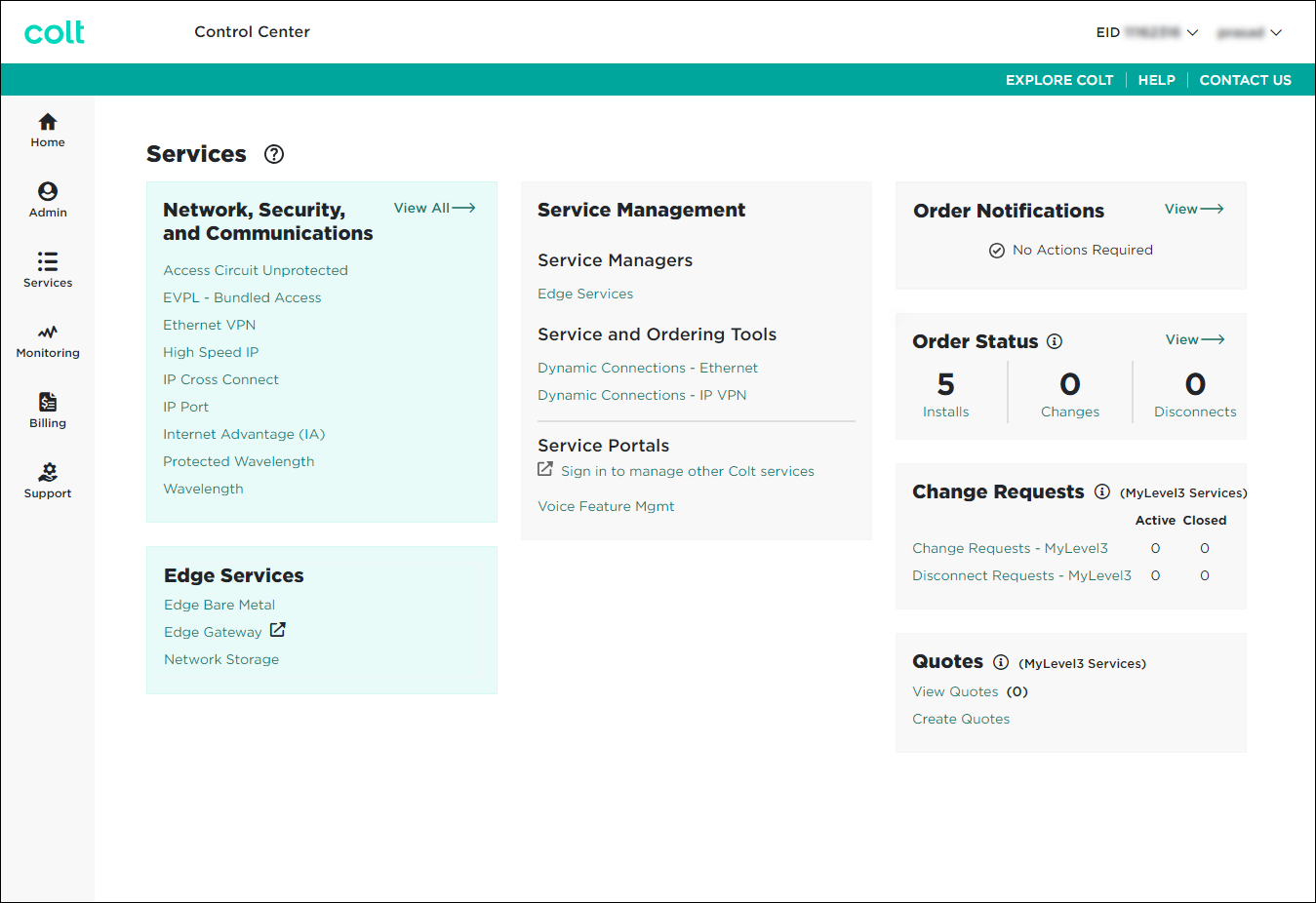
- In the Change Requests box, click Security Change Requests.
Control Center lists the open and recently closed security change requests (by default, within the past 30 days) for your organization with a status for each request.
- If you don’t see the security change request you’re looking for on the list, use the Search field. You can also filter the list using the Status or Type lists.
- Do any of the following:
- To view details or notes for a security change request, click the request ID.
Control Center shows details for the request you selected. If the request is still open, you can add notes to communicate with the Colt representative assigned to your request.
- To search for a request, type information related to the request (such as a request ID, service ID, location, or product) in the Search field.
Control Center filters the list as you type search criteria.
- To filter the list so you see only a certain status or type of security change request, use the Status and Type lists.
- To refresh the list, click the Refresh icon ().
- To download a spreadsheet (.xls) of the tickets, click the Download icon ().
- To view details or notes for a security change request, click the request ID.
Not quite right?
Try one of these popular searches:
Explore Control Center
Top 10 articles
- Troubleshooting login problems
- Retrieving your username or password
- Signing in to Control Center
- Adding accounts to an enterprise ID
- Requesting a PDF copy of an invoice
- Creating a repair ticket
- Creating a disconnect request
- Deactivating or reactivating a Control Center user
- Creating a new user
- Editing a notification setting


